Admin Columns 7 is here!
We’re thrilled to announce that Admin Columns 7 is here. It delivers a modern UI, new features, and many improvements. It’s a big step forward for Admin Columns in how it looks, in features released now and upcoming and how it works under the hood. Let’s dive in!
A Modern UI
We’ve redesigned the interface to be cleaner, more intuitive, and aligned with modern WordPress standards. Our goal was to make your workflow faster and easier, whether you’re setting up columns for the first time or managing complex configurations.
Although the previous UI served our users well and continues to receive good feedback, it was starting to feel a little dated. With this release, we’ve given the interface a fresh, modern look with more breathing room and a cleaner design.
There are a few key changes in navigation as well. Most notably, we replaced the drop-down to select a screen with a side menu. Favorites can now be stored as well and are located at the top left for easy access.
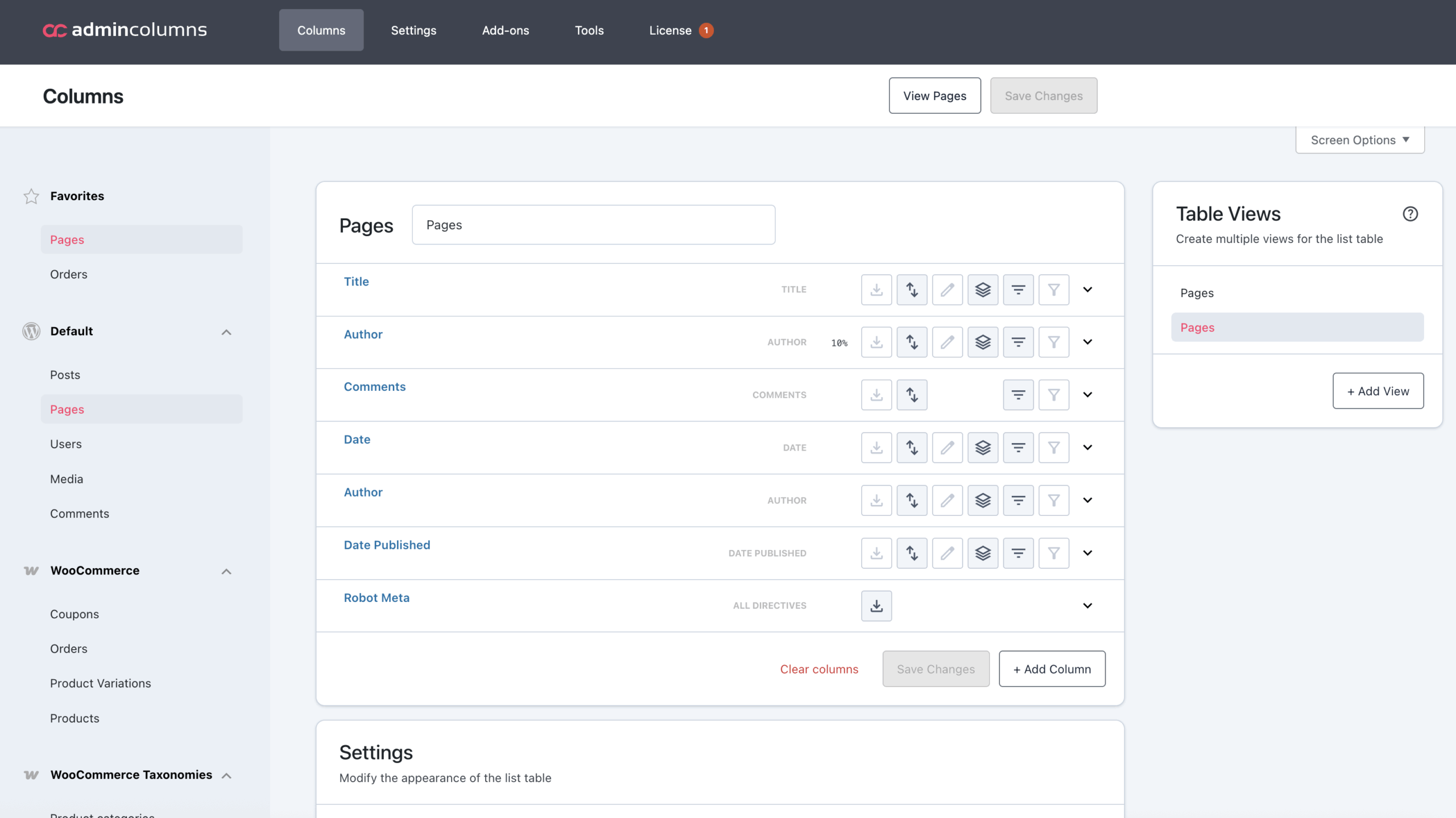
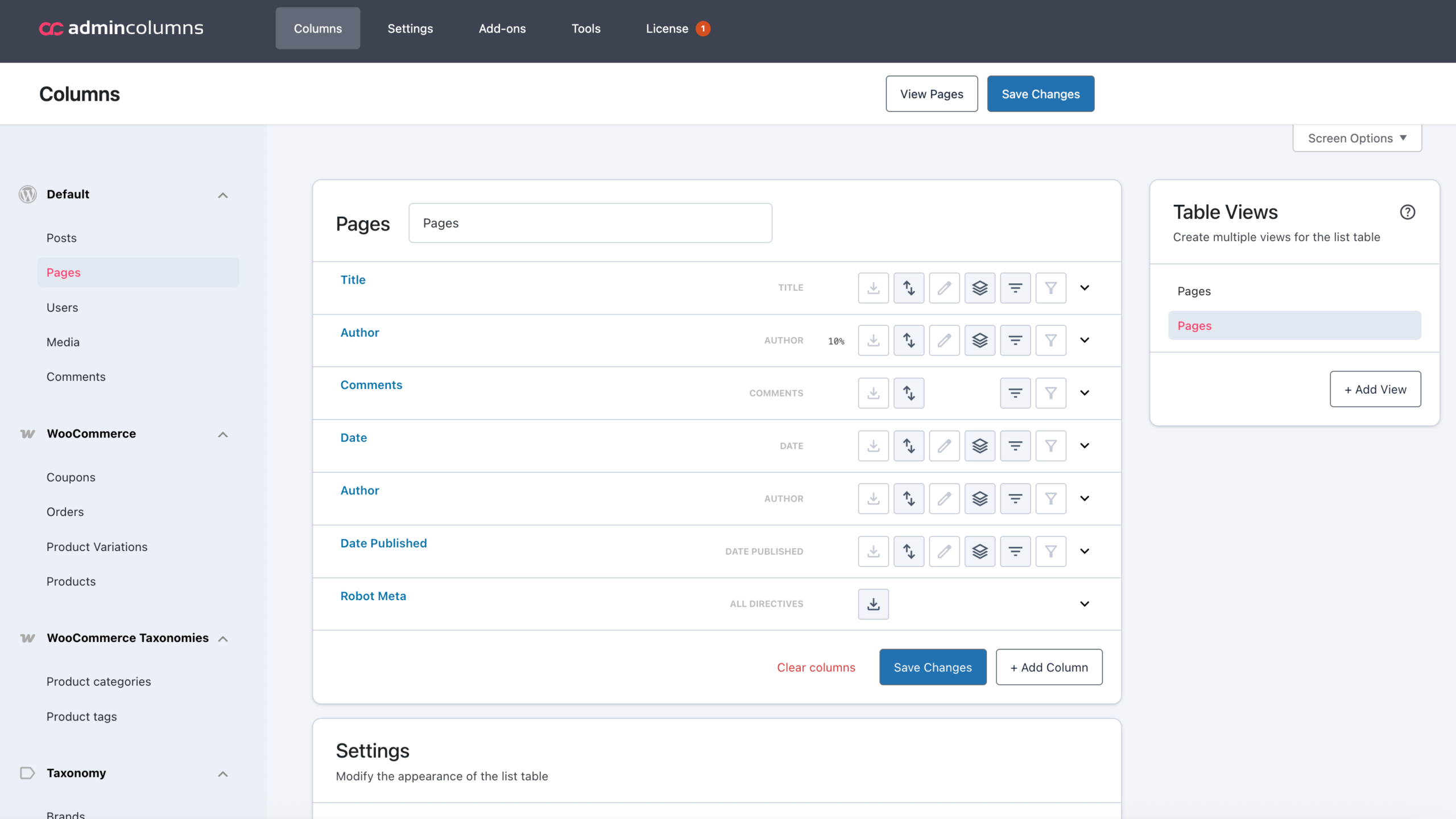
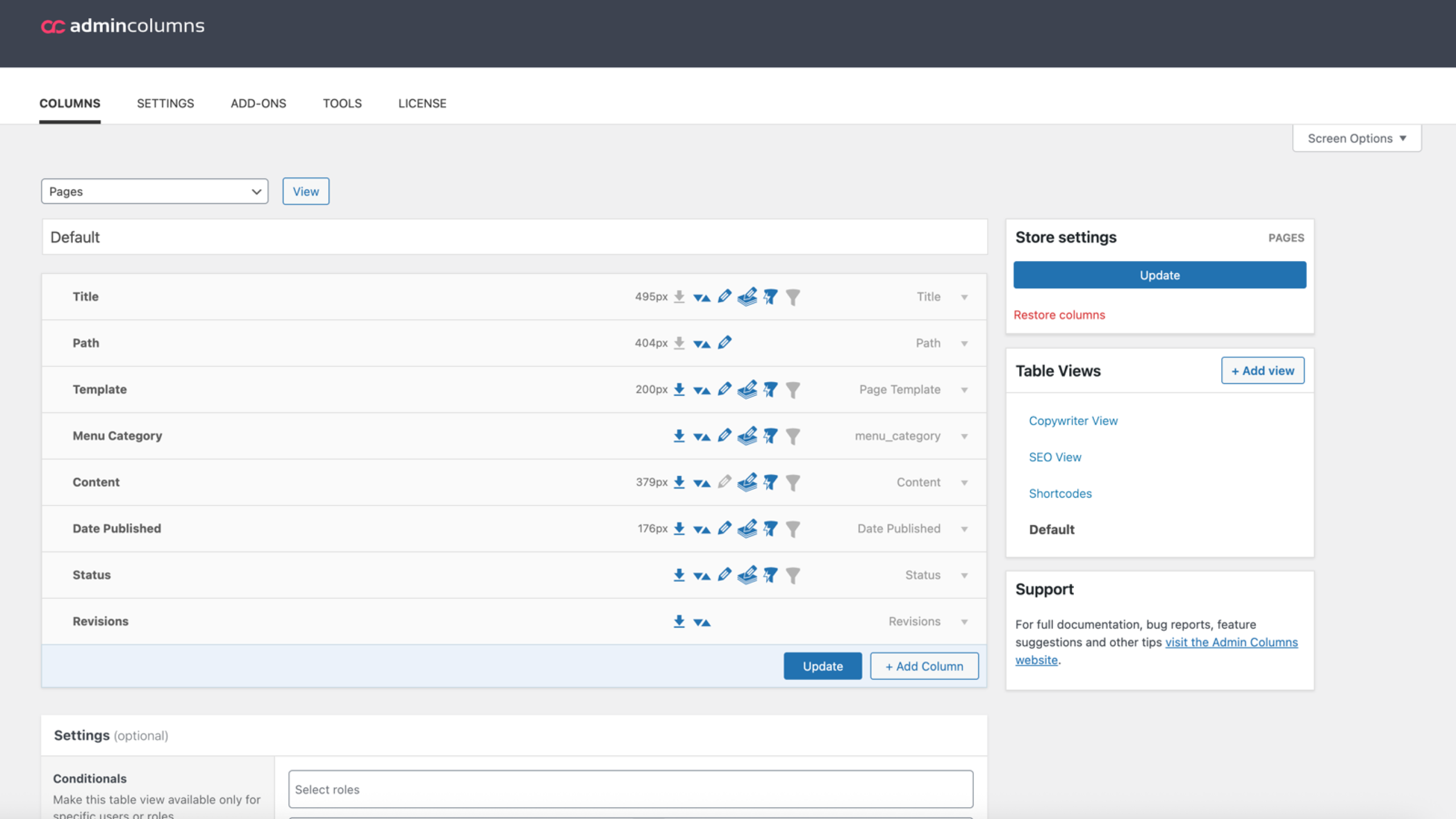
Wondering how Admin Columns looked before compared to the new version? Here’s a side-by-side of the previous and redesigned main screen. The other screens have received a similar update.
Global Conditional Formatting
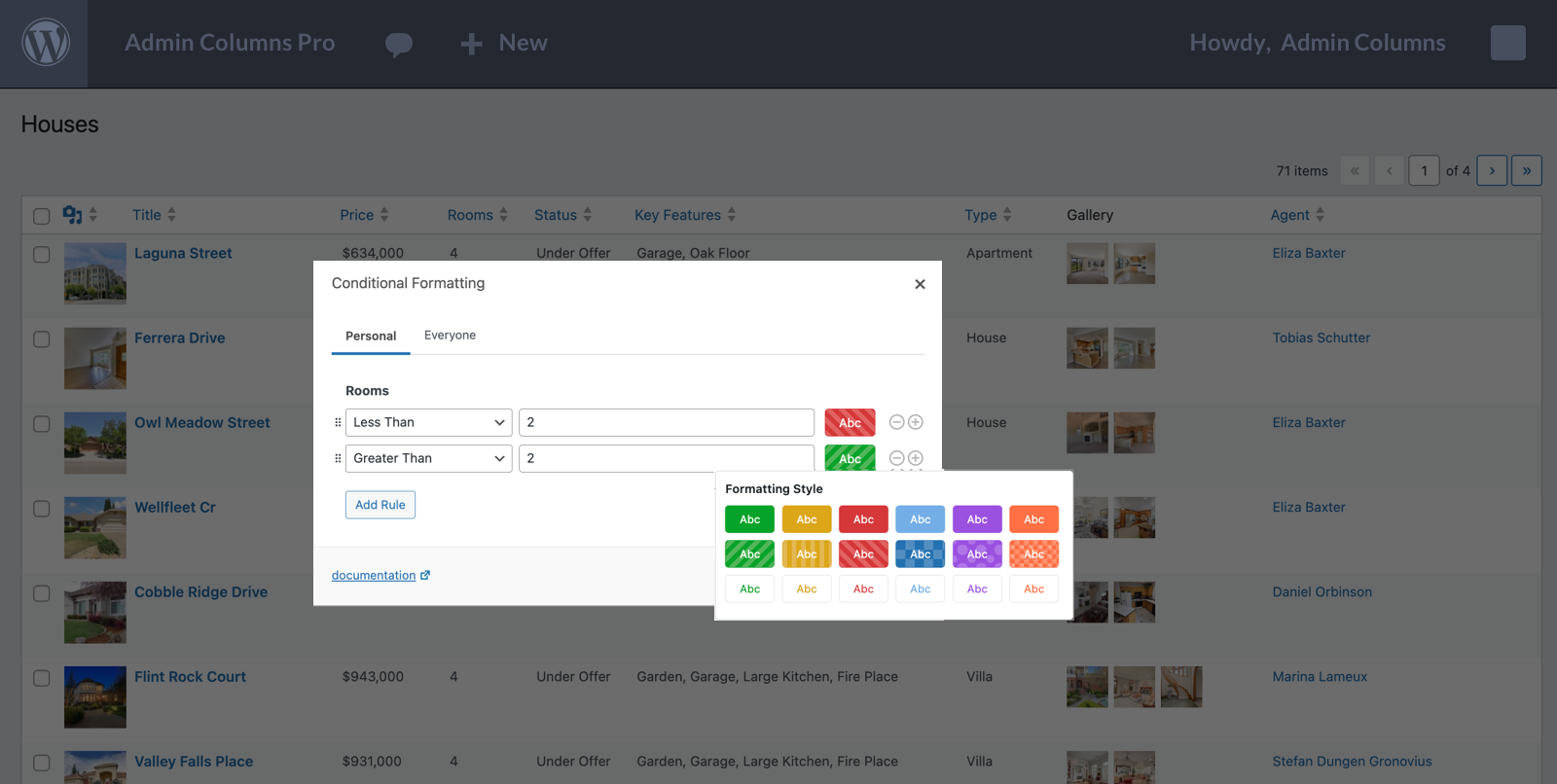
Conditional formatting lets you highlight rows in your list screens based on rules you define. For example, coloring overdue invoices in red or marking high-value customers in green. It’s a simple but powerful way to make important data stand out at a glance.
With Admin Columns 7, conditional formatting rules can now be defined globally. Users who have the rights to manage columns can define rules that everyone will see by default. In line with table views and saved filters, this feature makes it easy to prepare tailored screens in advance, so users always see the information that matters most.
At the same time, flexibility remains. Users can also create their own rules, so they can tailor formatting to their personal workflow if they prefer. We’ve also expanded the color options, added a color-blind friendly mode for accessibility, and developers can still change these colors through the filters we offer.
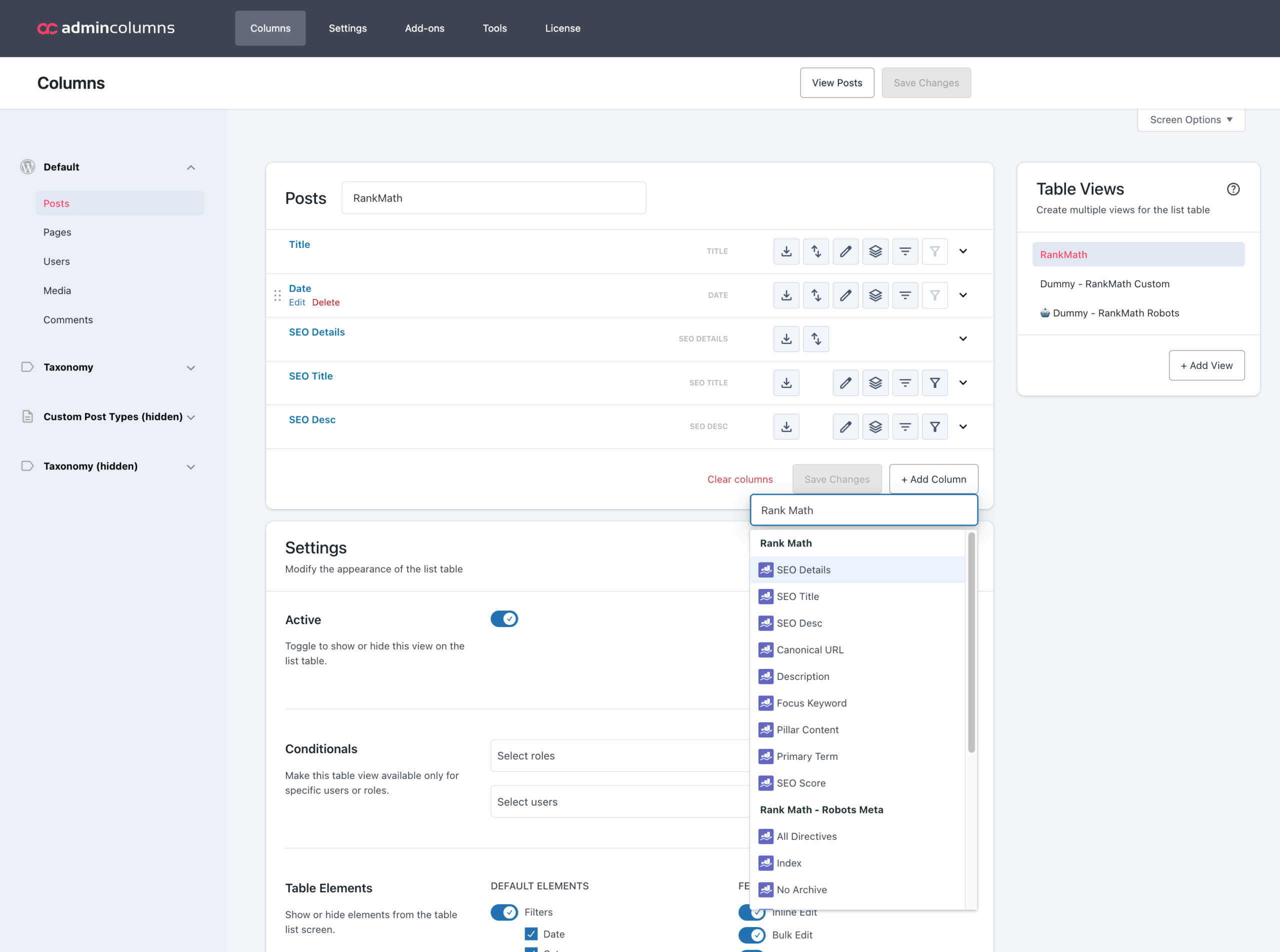
Support for Rank Math SEO and SEOPress
While Yoast SEO remains the leading plugin in the WordPress ecosystem, it’s not the only popular option. Rank Math and SEOPress have also gained significant traction, with Rank Math in particular seeing rapid growth. Admin Columns now supports both of these plugins alongside Yoast SEO, giving you the same easy way to manage your SEO columns no matter which solution you use.
Templates
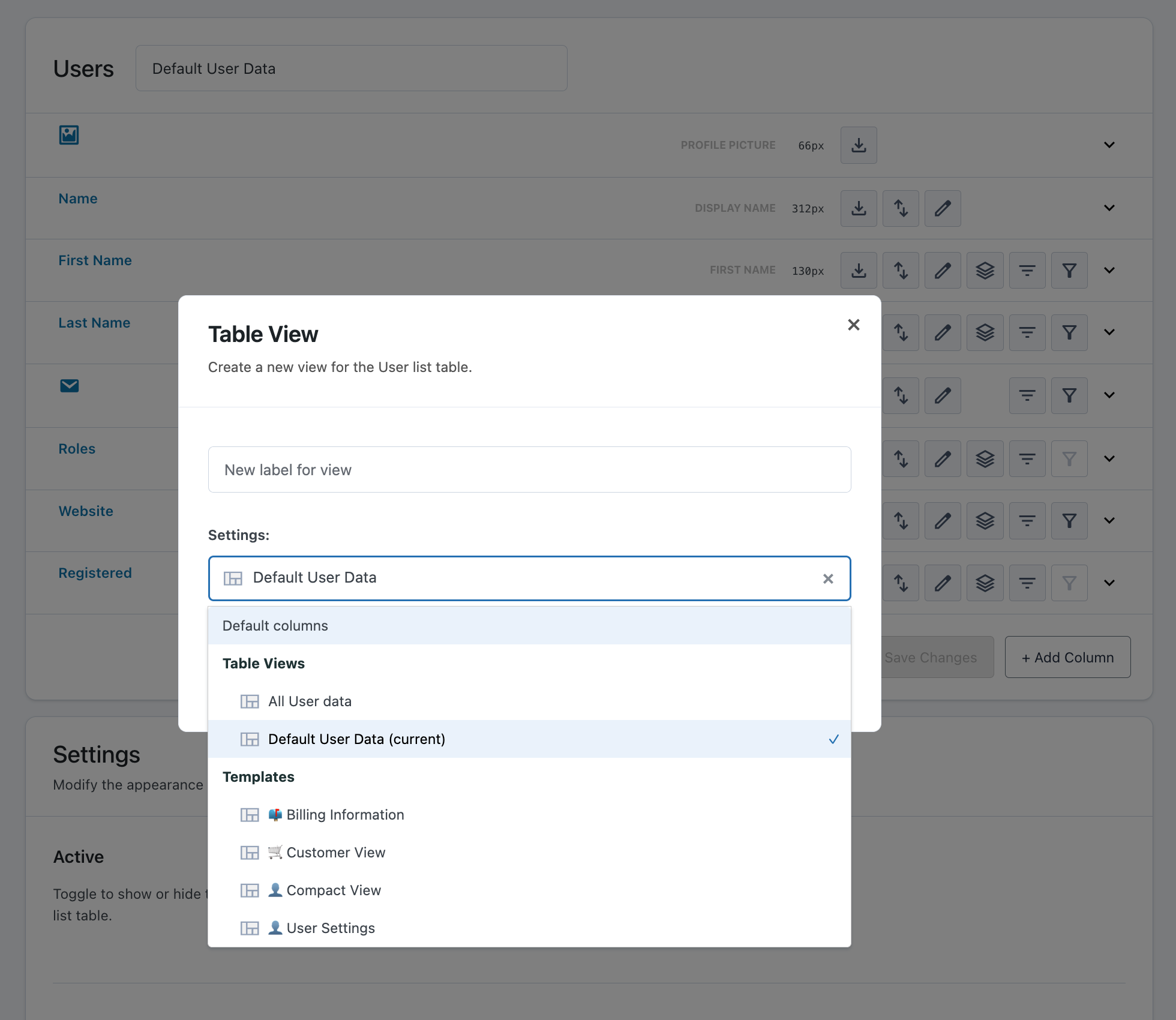
When your product, theme, or client project has a clear use case, starting from scratch with column sets can raise unnecessary questions or slow down onboarding. Templates solve this by letting Admin Columns, themes, and plugins ship with ready-made setups.
These sets provide immediate value out of the box: users get the right columns for their content type or workflow without needing to configure anything themselves. And of course, users can still adjust, extend, or replace the sets as needed. This also gives them a good idea of what is possible and how to use their overviews more effectively.
This makes Admin Columns easier to adopt, ensures consistency across installs, and gives developers and agencies a straightforward way to deliver a better first-run experience.
Custom List Tables – 7.1
Admin Columns focuses on enhancing existing WordPress list screens. Posts, Pages, WooCommerce and (nearly) every other screen that exists: it’s all supported. But we can’t predict every possibility. What we can do, is cater for it. That is why we have build Custom List Tables.
Custom List Tables let’s you take any database table and turn it into a fully functional list screen with sorting, filtering, conditional formatting, exporting, and even inline editing. In the future we hope to expand this feature in supporting other tabular data as well like (external) API calls or files that contain tabular data like CSV or JSON.
Since this feature is nearing completion, we already have an article that demonstrates how it’s going to work and look:
Column Calculations – 7.1
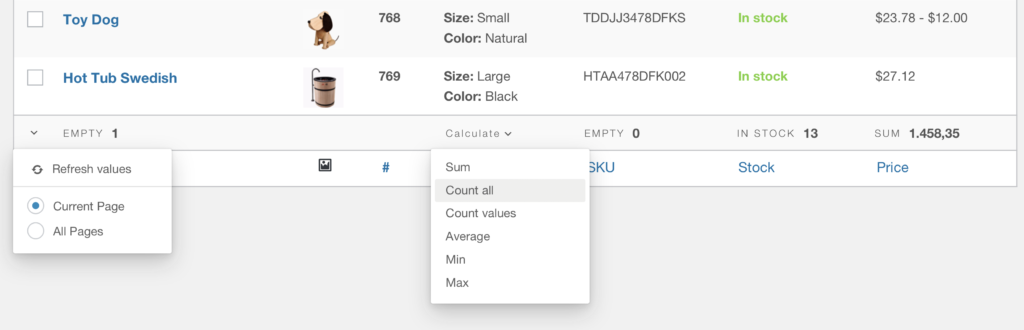
Column Calculations will allow you to perform aggregate functions on certain columns, such as totals or averages. These calculations will work together with filtering, so you can select a subset of your data and immediately see the calculations for the entire set or just the current page. Currently this features allows you to calculate the total, average, lowest and highest value of a column. But we will make it easy for you to define their own functions to, let’s say, find the amount of unique values in a column.
Nested Filters – 7.2
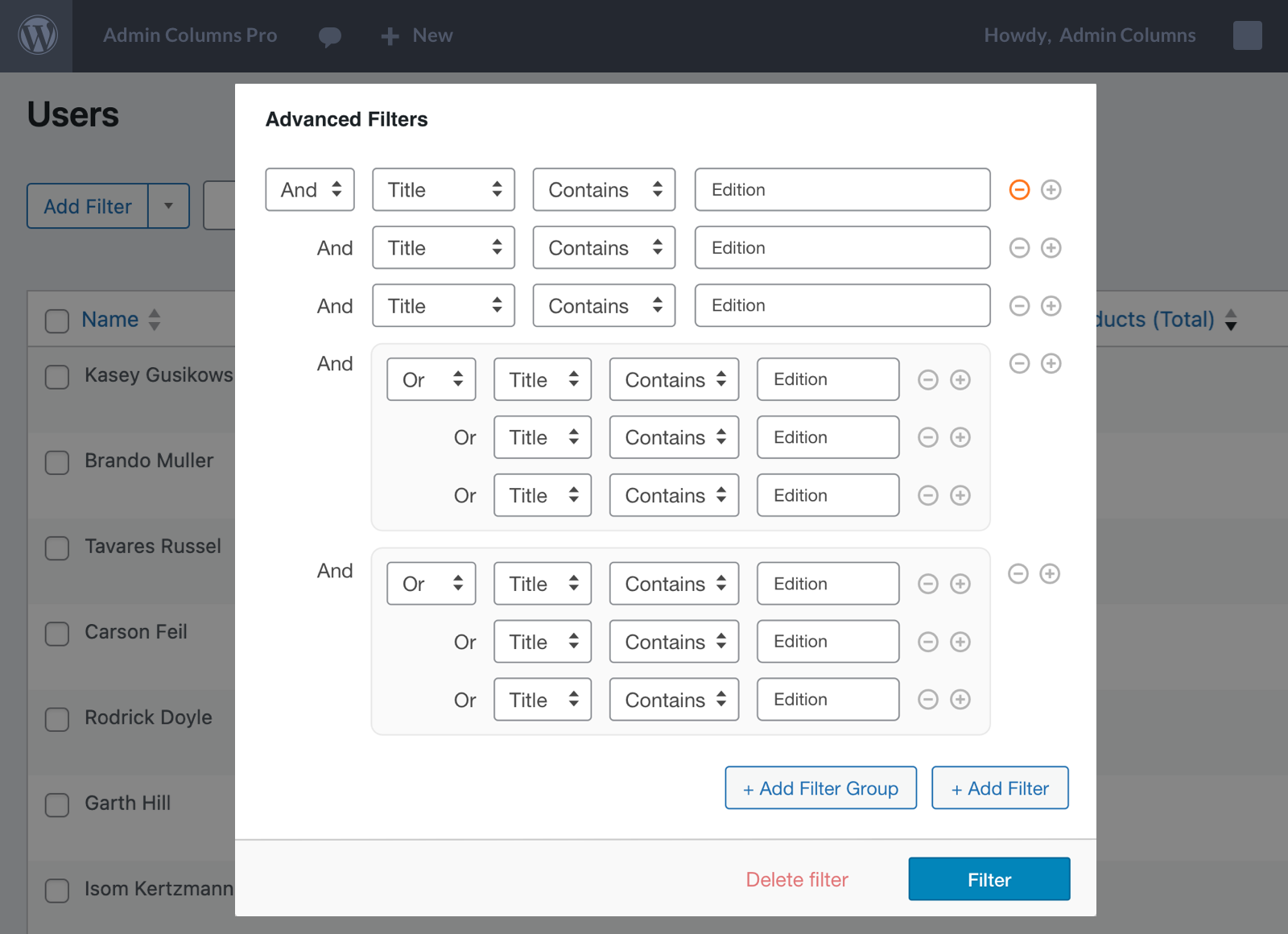
Filters are at the core of Admin Columns. They let you quickly focus on the information you need while hiding everything else. Currently, filters work with basic “AND” conditions, applying every rule at once. This is already quite powerful, but there are scenarios where “OR” conditions, or even a combination of both, are needed.
Nested filtering is the feature that will deliver exactly that. Originally planned for 7.1, we have moved it back a little in favor of some other goodness. It is currently in prototyping and planned for Admin Columns 7.2. We can share a preview of how the UI will likely look and work.
Before rolling it out, however, we want to refine it further to ensure it delivers the performance and reliability you’ve come to expect from Admin Columns.
Backward Compatibility and Upgrading
Over the years, we’ve added dozens of features that help you customize, search, and organize your overview screens. We’ve always prioritized backward compatibility, but this release differs a little.
We’re modernizing Admin Columns to deliver improvements today, on the near horizon, and well into the future. As a result, some custom code you may have written over the years could stop working (gracefully).
We have an upgrade path written out for you in our documentation that will allow you to see if (and which) changes your code would need. All other resources for developers and have also been updated to reflect the changes from Admin Columns 7.
And of course: our support team is always ready to help. We can help you before, during and after the upgrade process to make sure everything is working smoothly (again).
Wrapping Up
Admin Columns 7 introduces a modern foundation, both visually and technically. Alongside the major changes, we’ve added many smaller improvements that make the overall experience feel smoother and more consistent.
We can’t wait for you to explore Admin Columns 7! As always, we’d love to hear your feedback. Thanks for reading along!