Fifteen Updates. One Goal. Making Your WordPress Admin Work Better.
Since launching Admin Columns Pro 7.0 in January, we have been focused on improving the parts of WordPress you use every day: list tables, custom fields, and the workflows around them. This release builds on that foundation.
If you are working with ACF, managing WooCommerce data, or configuring more advanced list screens, these updates add new functionality and make your setup easier to maintain.
At a glance
- ACF – add fields as columns directly from the field editor, with better previews, filtering, and automatic date handling
- WooCommerce – see customer activity, order contents, store intelligence, and revenue trends without leaving your list tables
- Core experience – faster settings and automatic date detection that removes manual configuration
Add ACF fields as columns without leaving ACF
Adding ACF fields as admin columns used to mean switching contexts: from ACF to Admin Columns and back again. That friction is now gone.
You will find a new Admin Columns tab directly inside the ACF field editor. From there, you can add a field as a column in one click, or jump straight to its configuration if it already exists.
It is a small change, but it fundamentally improves how you work with custom fields – especially when you are setting up or iterating on ACF field groups.
WooCommerce improvements
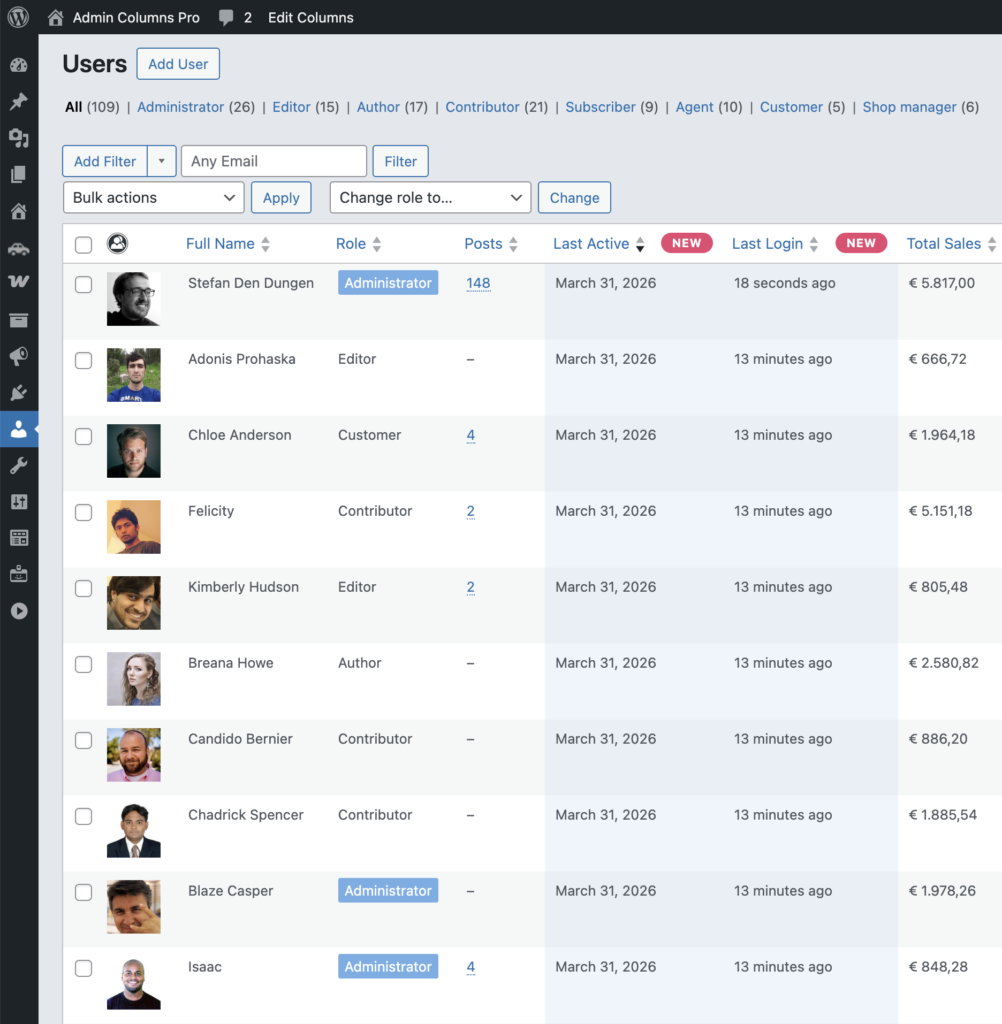
See when customers were last active
The new Last Active column on the Users list table shows when a customer last visited your store. This makes it easier to spot inactive customers, identify returning buyers, and work directly from the users page that you already use.
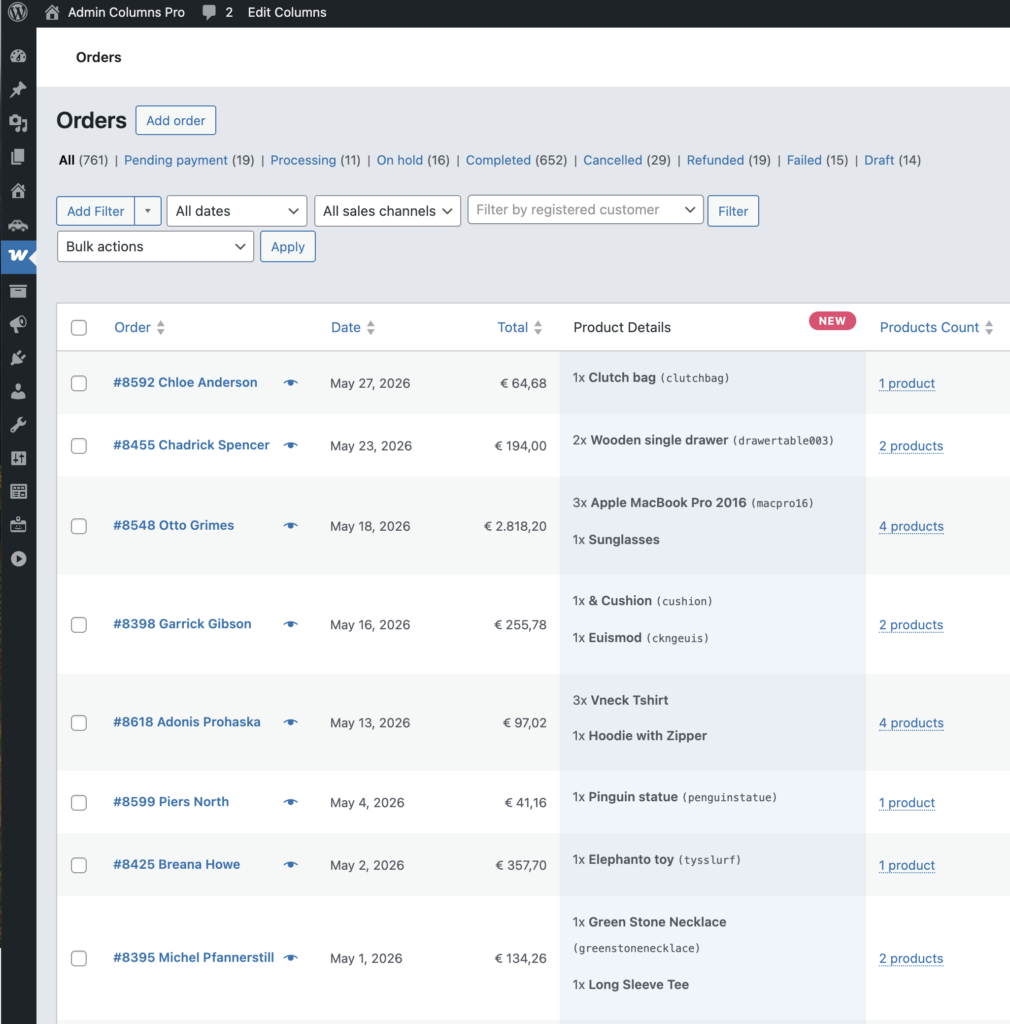
Product details are back on the Orders screen
The Product Details column is back on the Orders list table, so you can quickly see what an order contains without opening it first.
Store intelligence: know what is selling and what is not
A new set of columns turns your product, order, and user tables into a lightweight store dashboard.
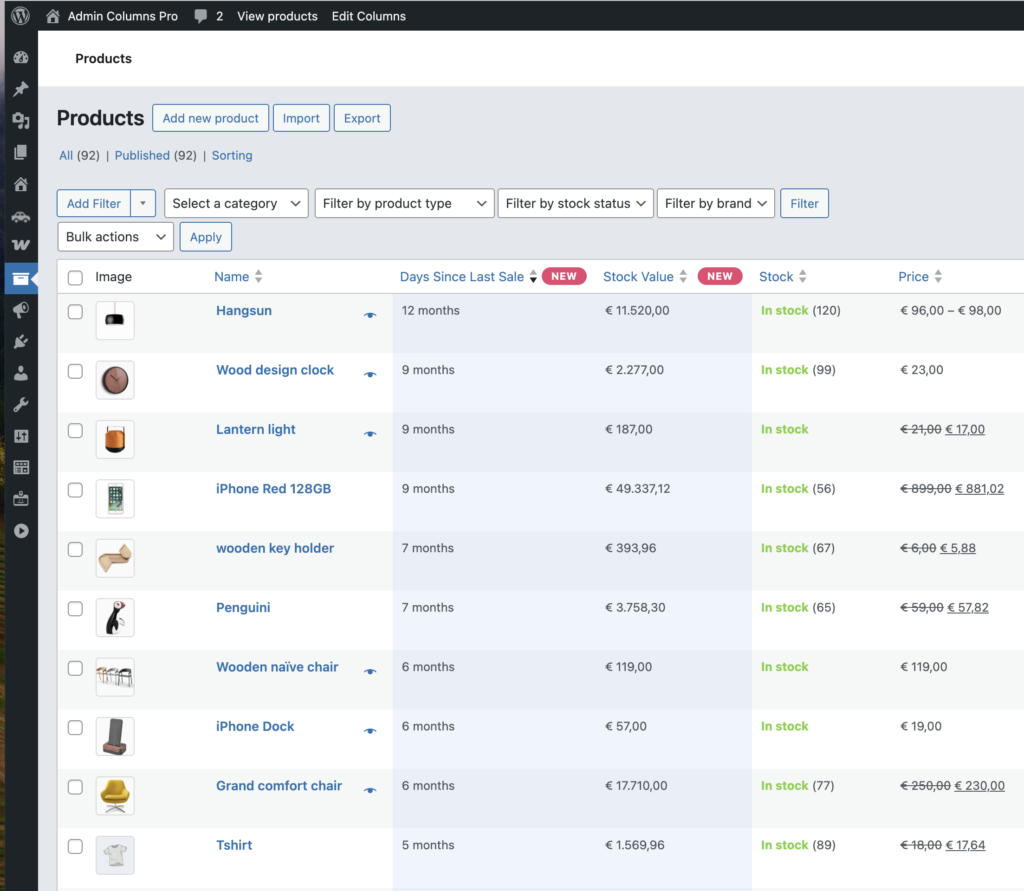
On products and orders, you can now track Fulfillment Time, Days Since Last Sale, and Stock Value directly from your list tables.
On users, the new Average Order Value and Days Since Last Order columns make it easier to understand customer behavior and identify accounts that may be dropping off. Instead of opening reports or exporting data, you can now spot patterns directly from your admin.
The Products Sold and Total Revenue columns now support time-based filtering – from last week to custom ranges. Combined with sorting and search, you can quickly see which products generated the most revenue in any given period.
ACF enhancements
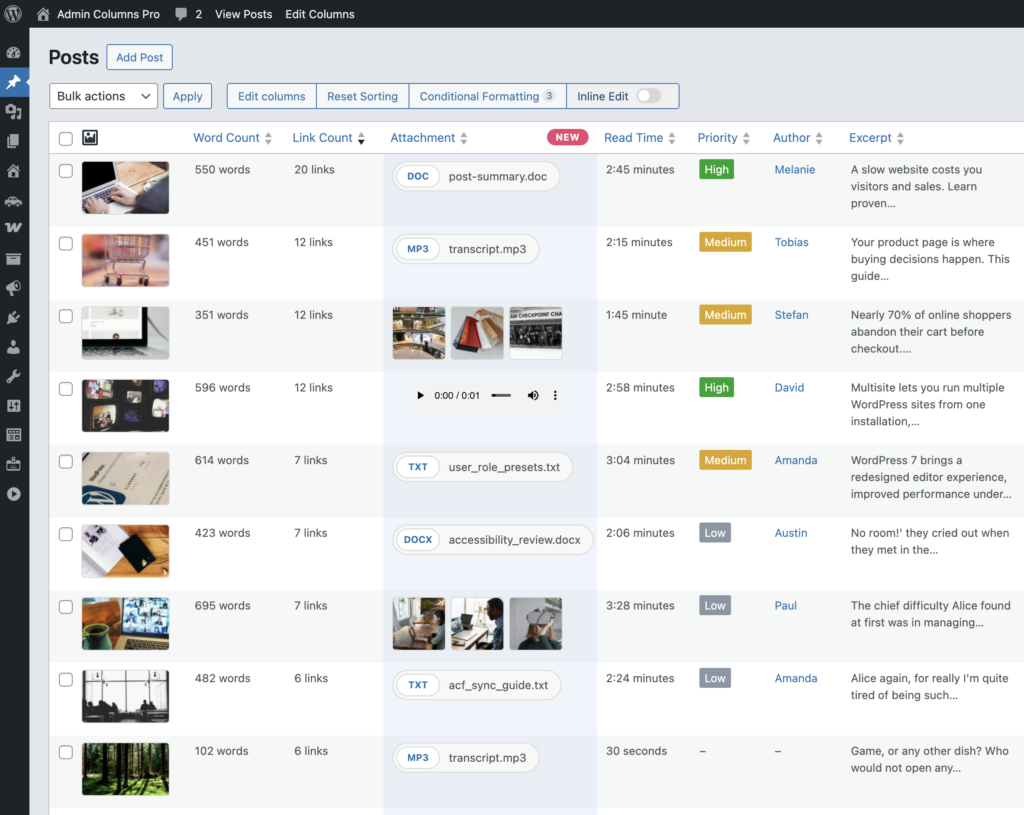
More control over file field display
ACF file field columns now include dedicated display settings. You can show an image preview, play video or audio inline, or display the file as a View, Download, or Edit link.
Multiple files per record are supported as well, giving you much more flexibility in how file-based content appears in your tables.
Date columns that stay in sync with ACF
ACF date field columns now use the date format defined in the ACF field itself. That keeps your columns aligned with the rest of your field configuration and removes the need to manually match date formats.
Filtering inside ACF Repeaters
Checkbox and Button Group fields inside ACF Repeaters now support filtering. If you rely on repeater data, this makes filtering behave much more consistently across your setup.
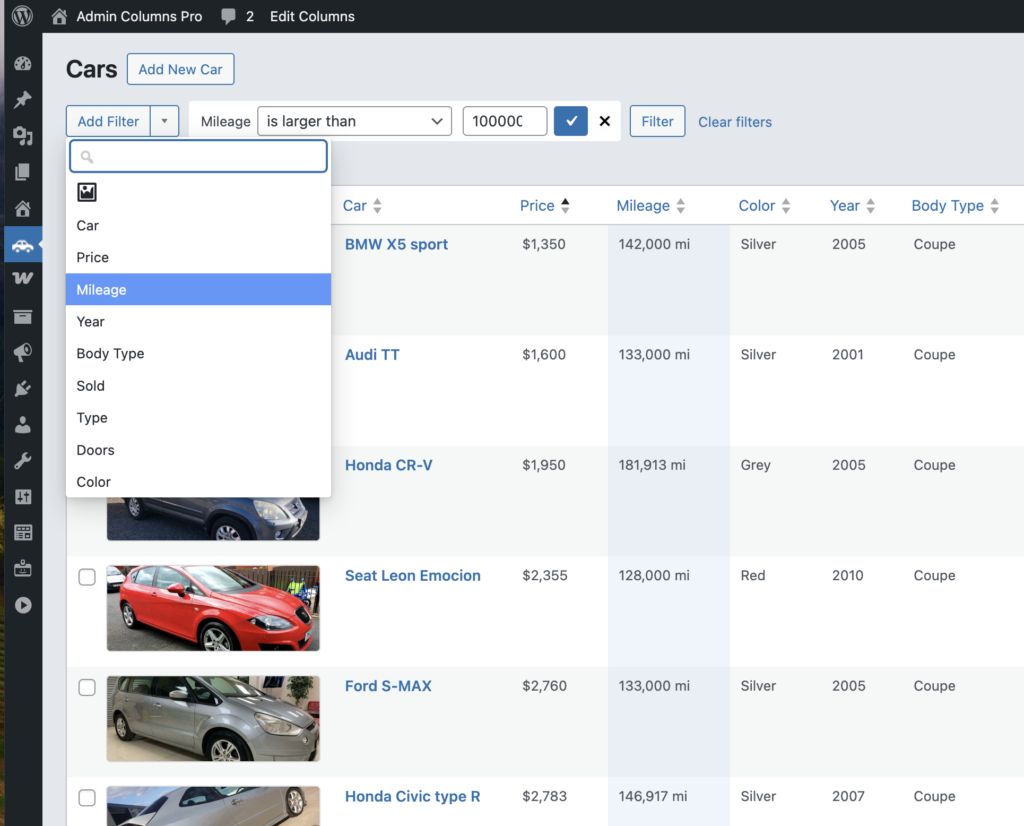
Jump straight to the field you need
For ACF Group columns, the settings panel now includes a direct Edit field link.
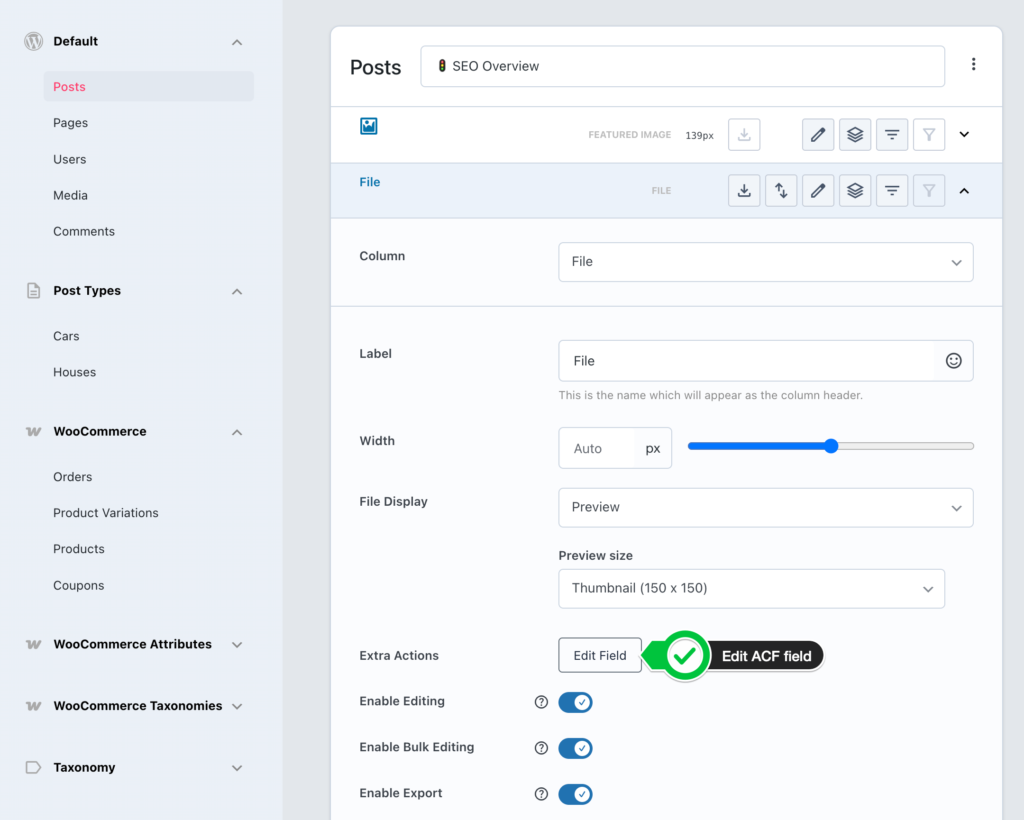
That means less navigation when you want to adjust the underlying field definition.
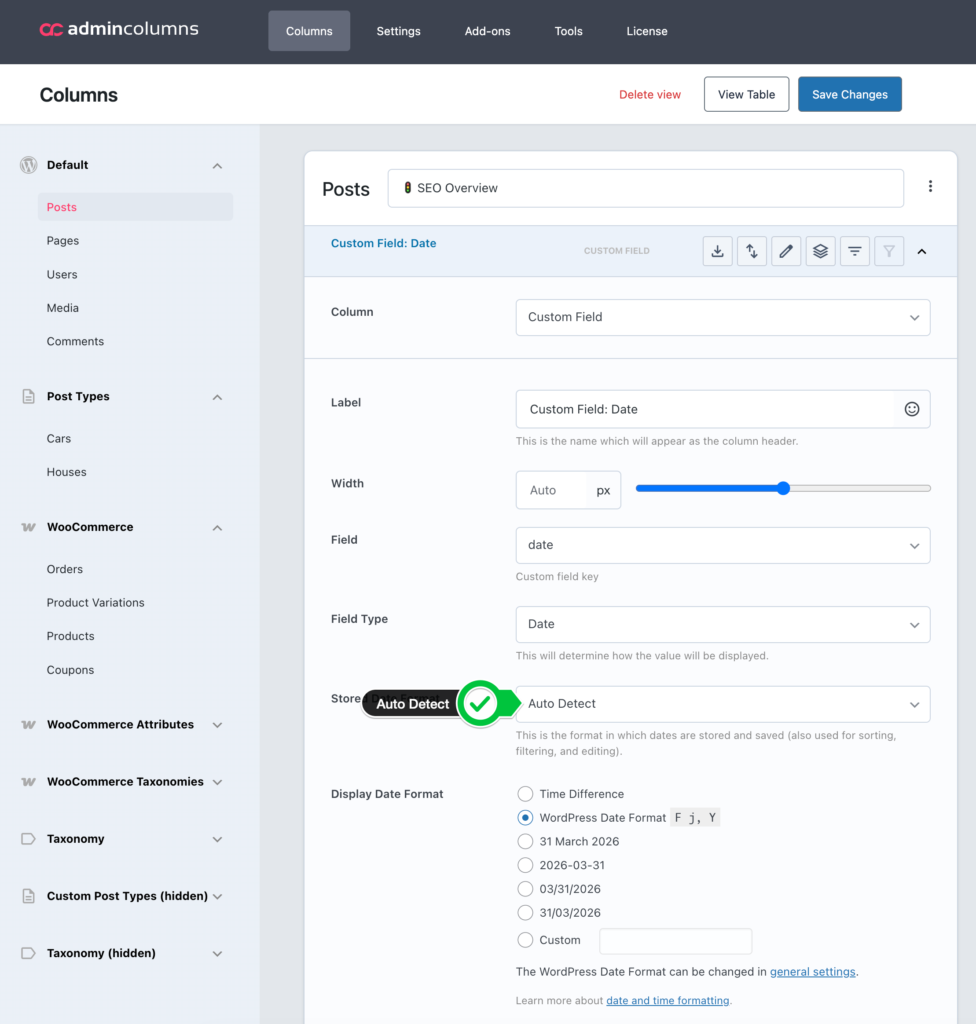
Auto Detect for date formats
A new Auto Detect option in date format settings automatically determines how your dates are stored. If you’ve ever had to trial-and-error date format strings for custom fields, this removes a common point of friction.
Performance and reliability
Faster settings loading
The list screen settings decoder has been significantly optimized. If you manage screens with many configured columns, you should notice the difference right away.
PHP 8.4 compatibility
Admin Columns Pro is fully tested and compatible with PHP 8.4.
If you have not updated recently, this is a good moment to do it – especially if you use ACF or WooCommerce.
Already using Admin Columns Pro?
Update to 7.0.15 from your WordPress plugins screen.
Not using Admin Columns Pro yet?
Try the demo or see pricing.
Plans start at €79/year and include a 30-day money-back guarantee.
Questions or feature requests? Open a ticket in our support portal.